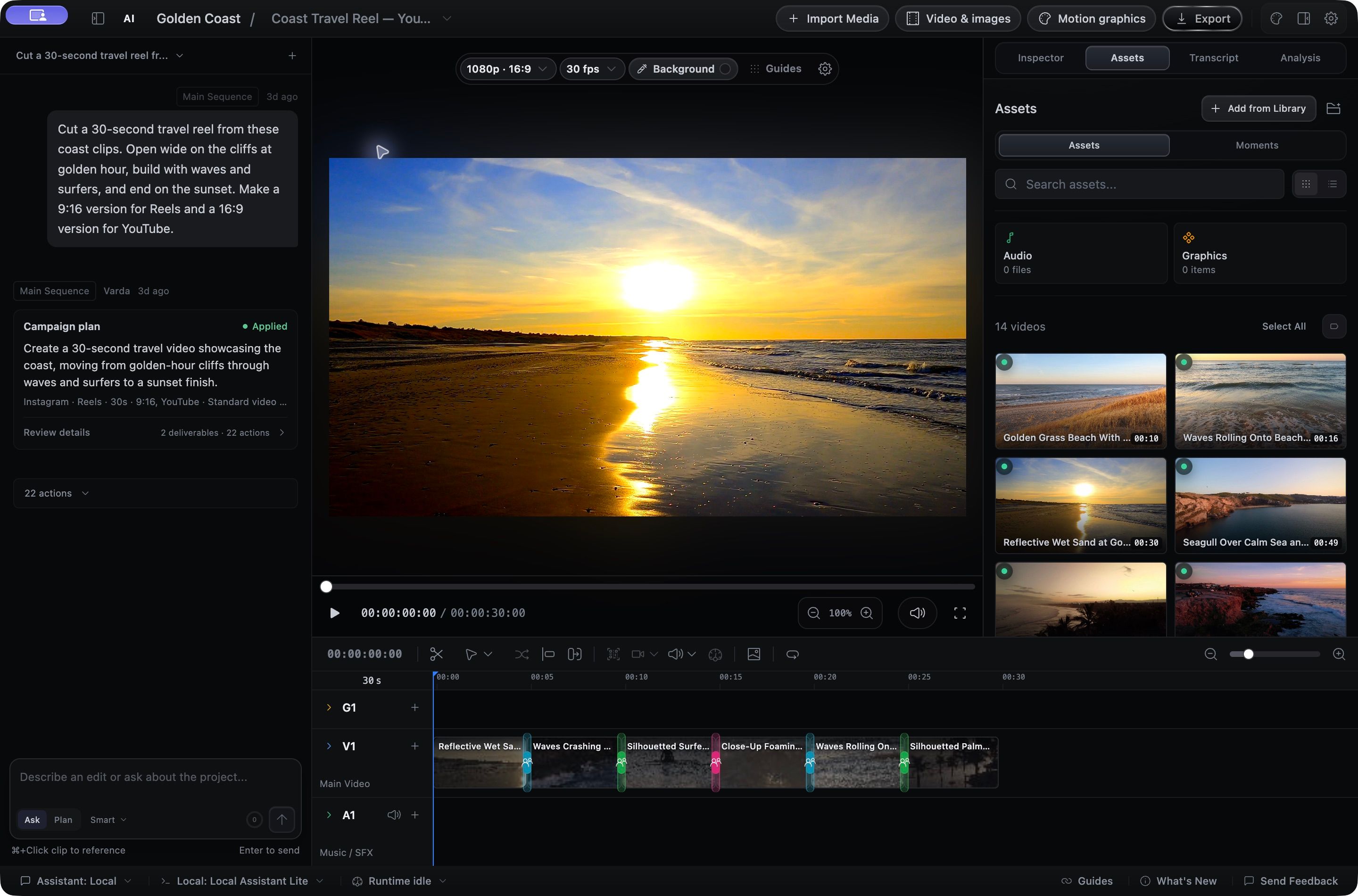
Build your edit across video, audio, and graphics tracks. Trim, retime, add transitions, and refine every detail by hand, with or without AI.
- Multi-track editing
- Multiple sequences
- Transitions & retiming
Record your screen, create custom motion graphics, or ask AVE to build a cut on a real timeline. Preview, refine, and export on your Mac with the assistant you choose.
macOS 14.0 or later. Apple Silicon, M1 or later.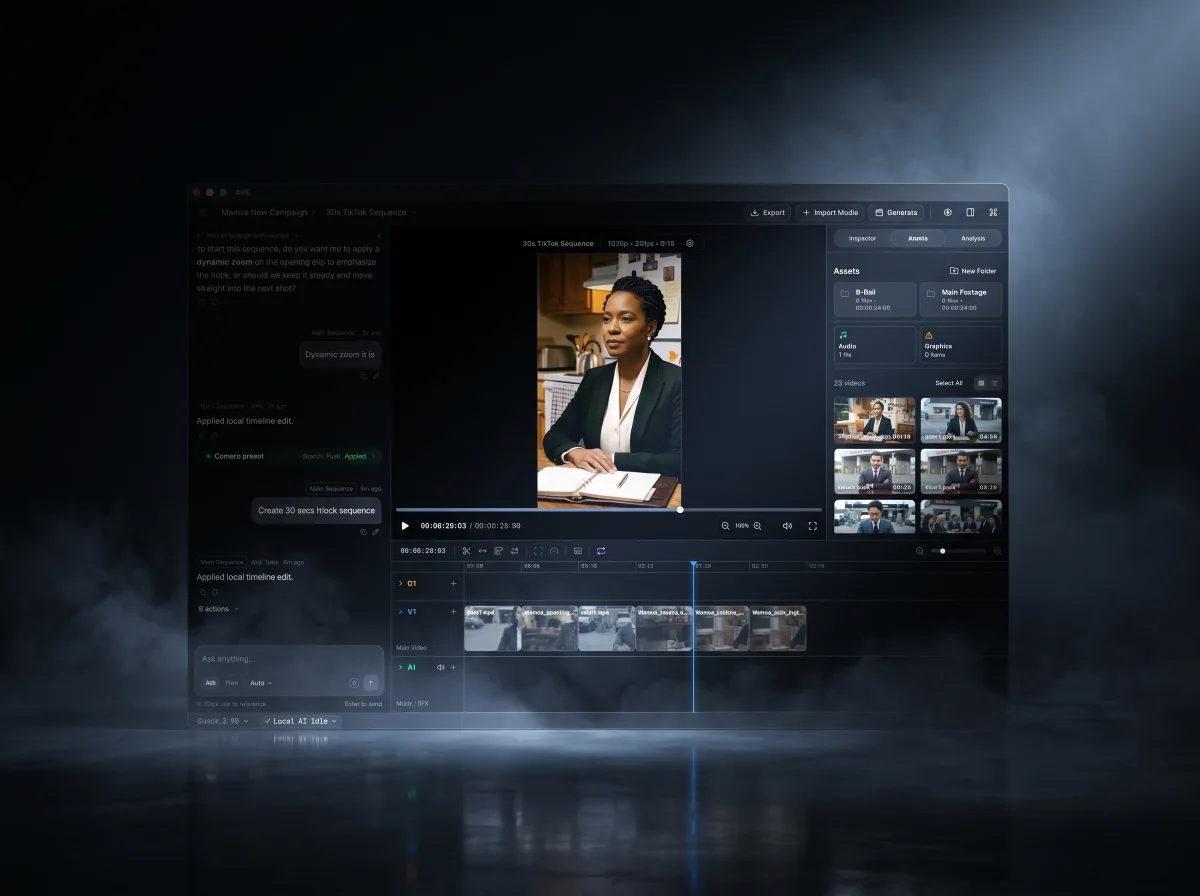
Capture a screen, window, or area with camera and audio. Choose a colorful background, then refine the frame, cursor, and zooms on your timeline. Included in the seven-day Pro trial, then AVE Pro, on macOS 15 or later.
Find the right footage. Shape the story. Create something new. AVE brings the whole process into one editable workspace on your Mac.
Build your edit across video, audio, and graphics tracks. Trim, retime, add transitions, and refine every detail by hand, with or without AI.
Search what was said or shown across your footage. Review Batch Selects, and teach Footage Memory the people, places, and products you recognize.
Ask for a focused change or review a complete edit plan. Turn your brief into rough cuts, captions, and different versions on a timeline you can keep editing.
Select a passage to cut it or make a new sequence. Review filler words and long pauses, then add captions that follow your edit.
Create animated videos, titles, and lower thirds with your assistant. Preview the animation, personalize it, and add it to your timeline.
Generate video and images with your chosen provider. Start with a prompt or reference image, and bring the finished result straight into your project.
Design titles and layered graphics. Add your brand, shape the background, adjust color, mask a clip, or reframe around the subject.
Clean up voice, lower music beneath dialogue, shape volume over time, and find the beat for your next cut.
Find and reuse footage across projects. Review smarter asset names, organize your files, and manage projects and exports with recoverable Trash actions.
Export locally up to 4K, make different formats, or export your selects as separate videos. Deliver subtitle files or continue the edit in Final Cut Pro.
Local AI, projects, analysis, and export stay on your Mac by default. Choose a local model, an installed assistant, or your own API provider. Connect Codex or Claude Code through AVE MCP when you want them to work in the editor.
Explore AVE MCPThe same loop an editor runs, now with AI handling the mechanical passes while you keep the final call. See the full workflow.
Bring in video, audio, or graphics. AVE builds useful project context from filenames, metadata, transcripts, visual notes, and timeline state.
Use Ask for direction, search, and complete bounded edits. Use Plan when broader project-aware work should be previewed before execution.
AVE can create sequences, select clips, trim, add transitions, build captions, style graphics, and close gaps. Reversible actions stay undoable; broader plans remain reviewable before execution.
Refine by hand, run gap-aware export preflight, and render finished deliverables at up to 4K UHD from the native Mac app.
Plan mode previews a multi-step edit before anything touches your timeline. AVE drafts the steps, you approve the direction, and every change stays visible for review.
Make a 30-second vertical TikTok cut from the launch footage. Keep it punchy and add captions.
Connect Codex CLI or Claude Code once, then ask for video work from the assistant you already use. AVE provides the project context, editing tools, review frames, permissions, and local execution.
A modern non-linear editor at the core, with footage intelligence and AI-assisted timeline work you can review. Browse the full feature list, see real use cases, or compare AVE with other video editors.
Capture a screen, window, or area with camera and audio on macOS 15 or later. Style the background, frame, and cursor, then refine zooms and privacy masks on your existing timeline.
Screen recordingDescribe an animated video, title, or overlay. Review the preview, refine the animation, and customize text and colors before adding it to a video or graphics track. Render and export on your Mac.
Create with AIBatch Selects inspects each selected source separately for obvious image problems, abrupt movement, quiet sections, and shot boundaries. Review every suggestion before AVE creates a new sequence.
Batch SelectsTake your rough cut into Final Cut Pro with editable clips, captions, and supported images. Include your source media for a straightforward handoff.
FCPXML exportSelect a passage in the transcript to split it, delete it and close the gap, or turn it into a new sequence. Preview filler words and long pauses before applying cleanup. Your source recording stays intact.
Transcript editingSave your edited sequence captions as SRT or WebVTT files, ready for other editors and video platforms.
SRT + WebVTTTrim, split, Ripple, Roll, Slip, retime, swap, and snap clips on an editable timeline. Browse and preview transitions and graphics, then add fades, captions, alignment, audio automation, and motion.
Timeline toolsSearch and rank footage across the current project and local AVE Library with transcripts, visual notes, metadata, and timeline context. The Assistant can suggest matching assets and bring chosen footage into the active edit.
Transcript + visionGenerate video and images with Google Veo, Google Nano Banana, Runway, Luma, Kling, fal.ai, Seedance. AVE adapts the setup to the selected provider, then saves completed results directly into Assets.
Video + imageTeach AVE the people, places, products, and subjects you recognize, then recall confirmed source moments across your local projects.
Semantic + localCreate 16:9, 4:5, 1:1, 9:16, social, web, and custom deliverables, then export at up to 4K UHD with resolution-aware bitrate choices and clear upscaling warnings.
Platform formatsAVE includes its Local AI engine plus starter vision and caption models. Project files, media analysis, timeline edits, and native exports stay on your Mac by default.
Private + on-deviceTurn camera filenames into collection-aware AVE names using visual, transcript, metadata, and project context. Review, edit, or exclude every proposal while original files stay unchanged.
Smart RenameAVE is the agentic editor: it understands the footage, builds and finishes the sequence, and leaves every decision on a real timeline you can keep editing.
The AVE thesis
The short version of what AVE is and how it works.
Turn your ideas into animated videos, titles, and overlays. Create a motion preview with your assistant, refine it in AVE, and export on your Mac.